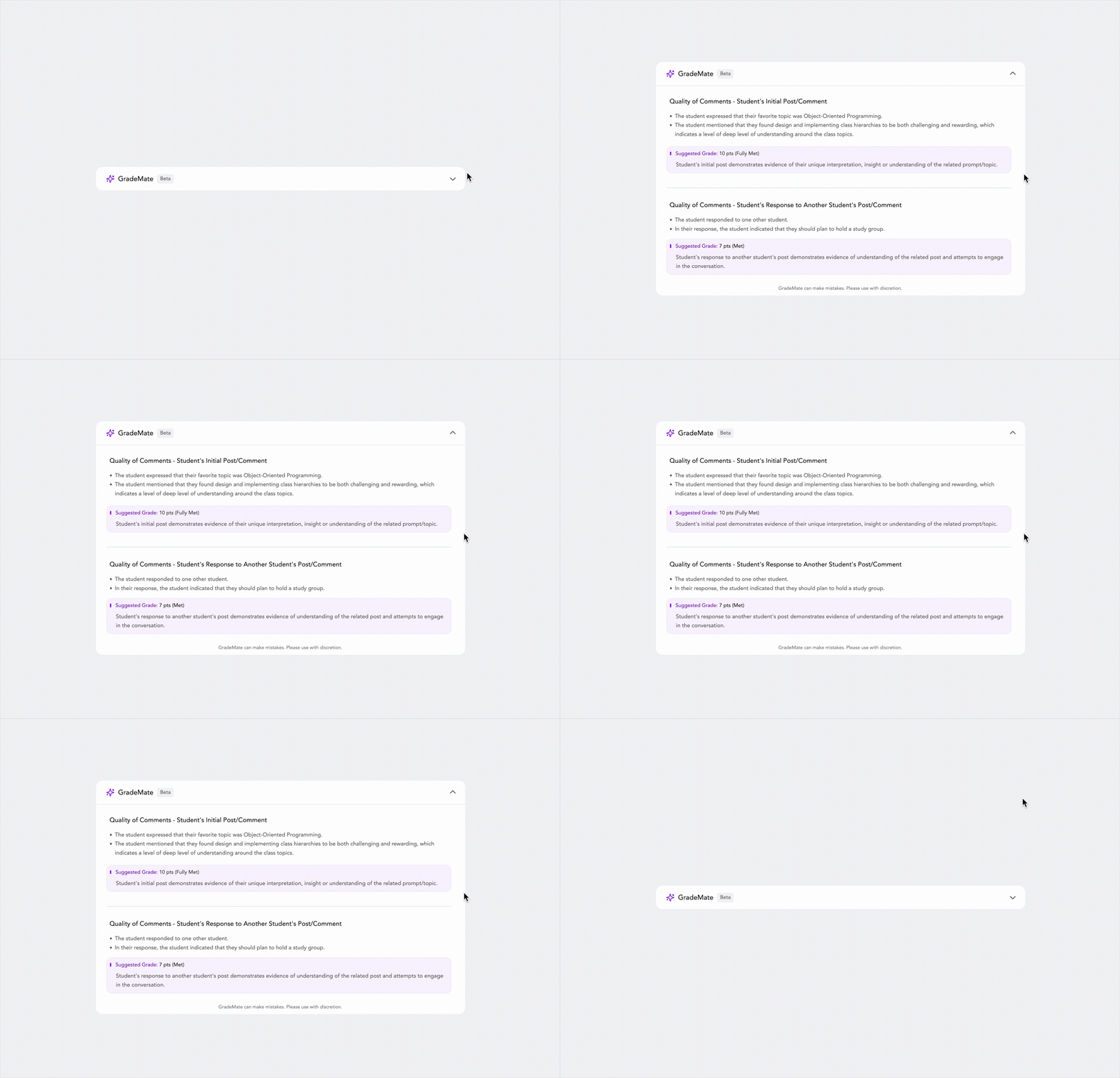
GradeMate – Streamlining Classroom Engagement with AI
GradeMate is an AI assistant that syncs Canvas with the Pronto chat app. It solves the burden of manually grading informal chat messages by using AI to parse and summarize student contributions, providing educators with a suggested grade.
Role
Lead User Experience Designer
The UX Problem
Grading Pronto discussions in Canvas is time consuming and innefficient.
Context Switching
Teachers had to toggle between Canvas and Pronto to grade student’s interactions.
Cognitive Overload
Scrolling through a thread of 500+ messages to find one student's three contributions is inefficient.
Subjectivity
Grading participation is notoriously subjective and inconsistent without clear data visibility.
Proposed Solution
We introduced GradeMate, an embedded widget within the grading interface.
Workflow Integration: When a teacher opens a student's profile in the grading view, the student's messages are fetched from the Pronto chat thread.
AI Summarization: Instead of showing raw logs, the AI summarizes the student's intent (e.g., "The student expressed that their favorite topic was...").
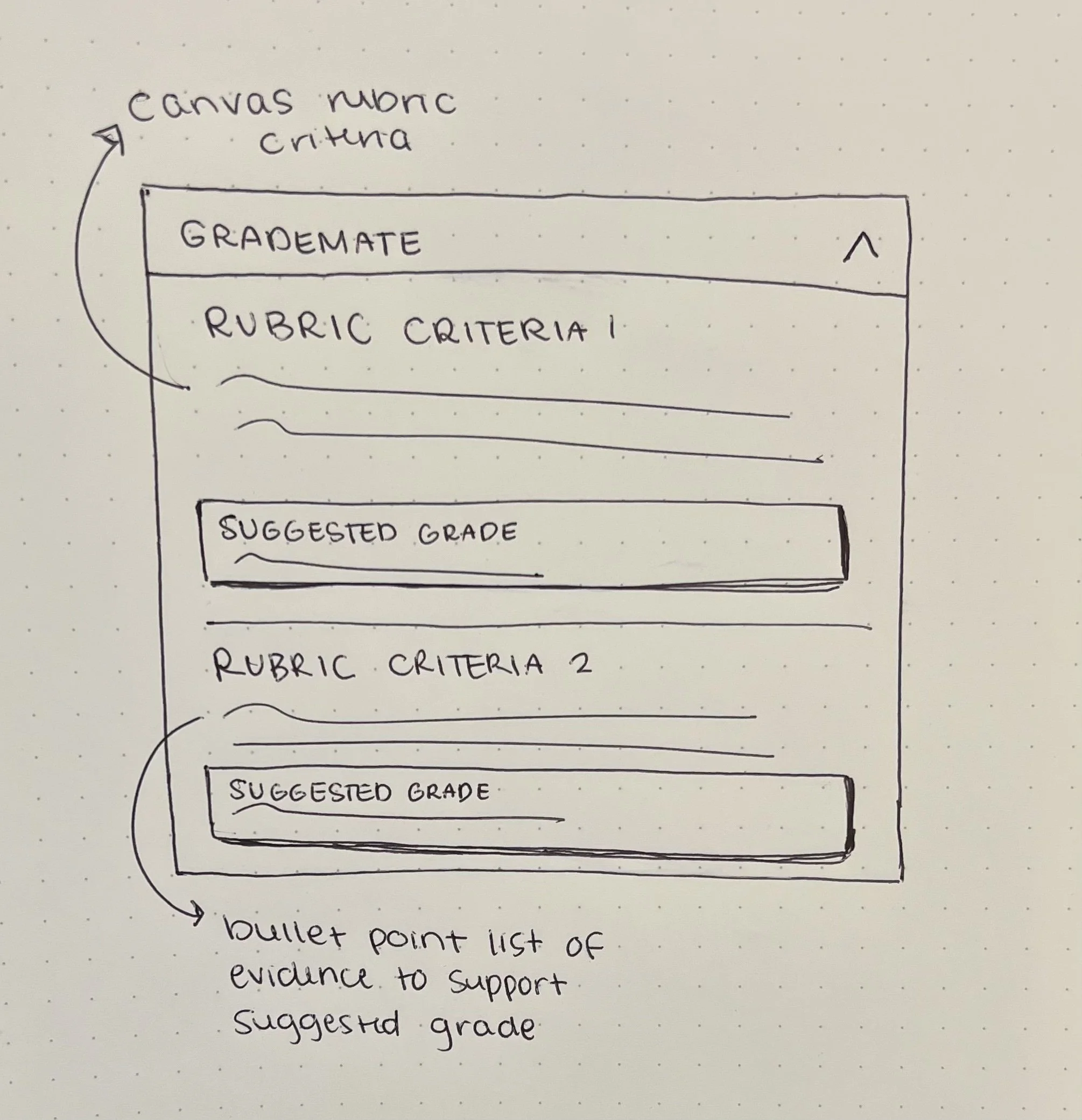
Rubric Alignment: The AI compares the student's input against the assignment rubric (e.g., "Initial Post" vs. "Reply to Peer") and suggests a score.
The Goal
Create a unified view within Canvas that instantly shows only the relevant data for the student being graded, interpreted by AI to save time.



User Research & Initial Wireframes
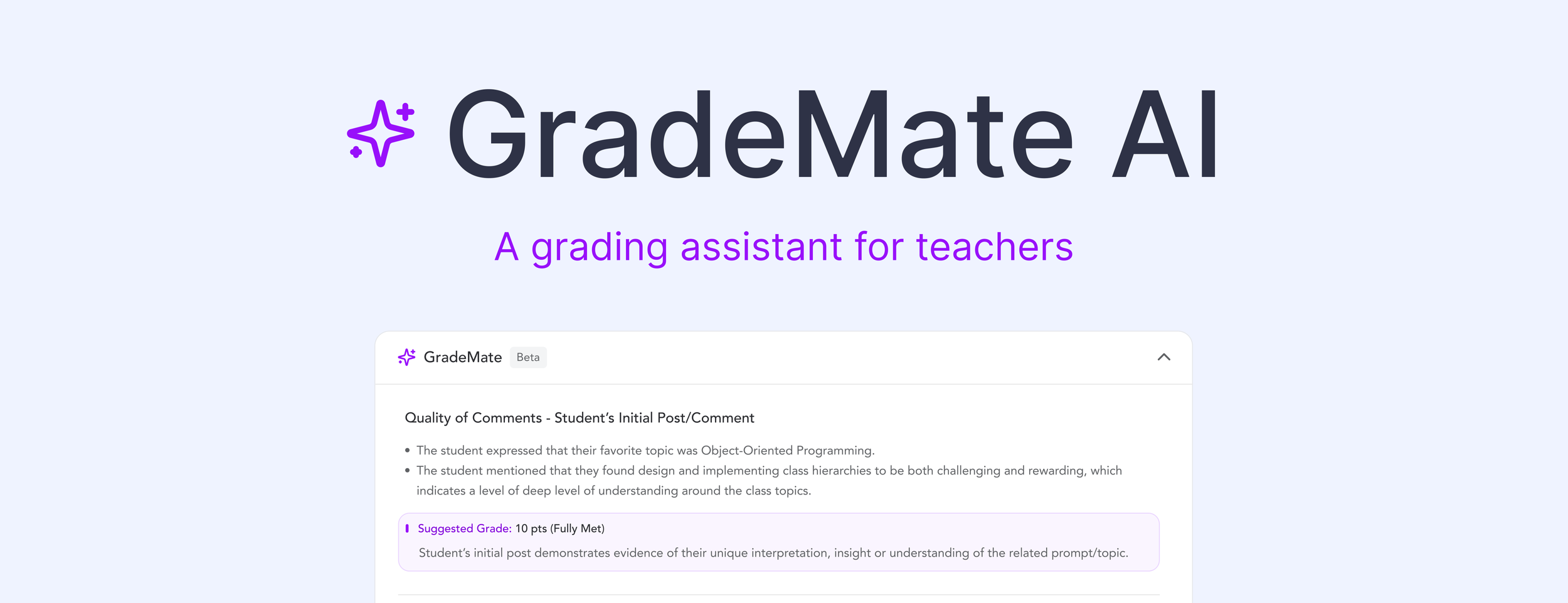
The Happy MediumIn our research, we discovered that instructors wanted information on different metrics. Some graded on word count, other on quality of response, etc…
It was our job to find the perfect middle ground to satisfy the various needs of different instructors.
Canvas Instructor
Goals: Wants robust student debate.
Frustrations: Loses their weekends to grading 400+ distinct chat messages.
Needs: A highlight reel, not a raw transcript.
The PersonaSummary of NeedsAutomate the evidence collection.
Verify Learning: Flag specific references to course material.
Quantify Engagement: See messages sent, word count, and emoji reaction without manually counting.
-
![]()
User Interviews
-
![]()
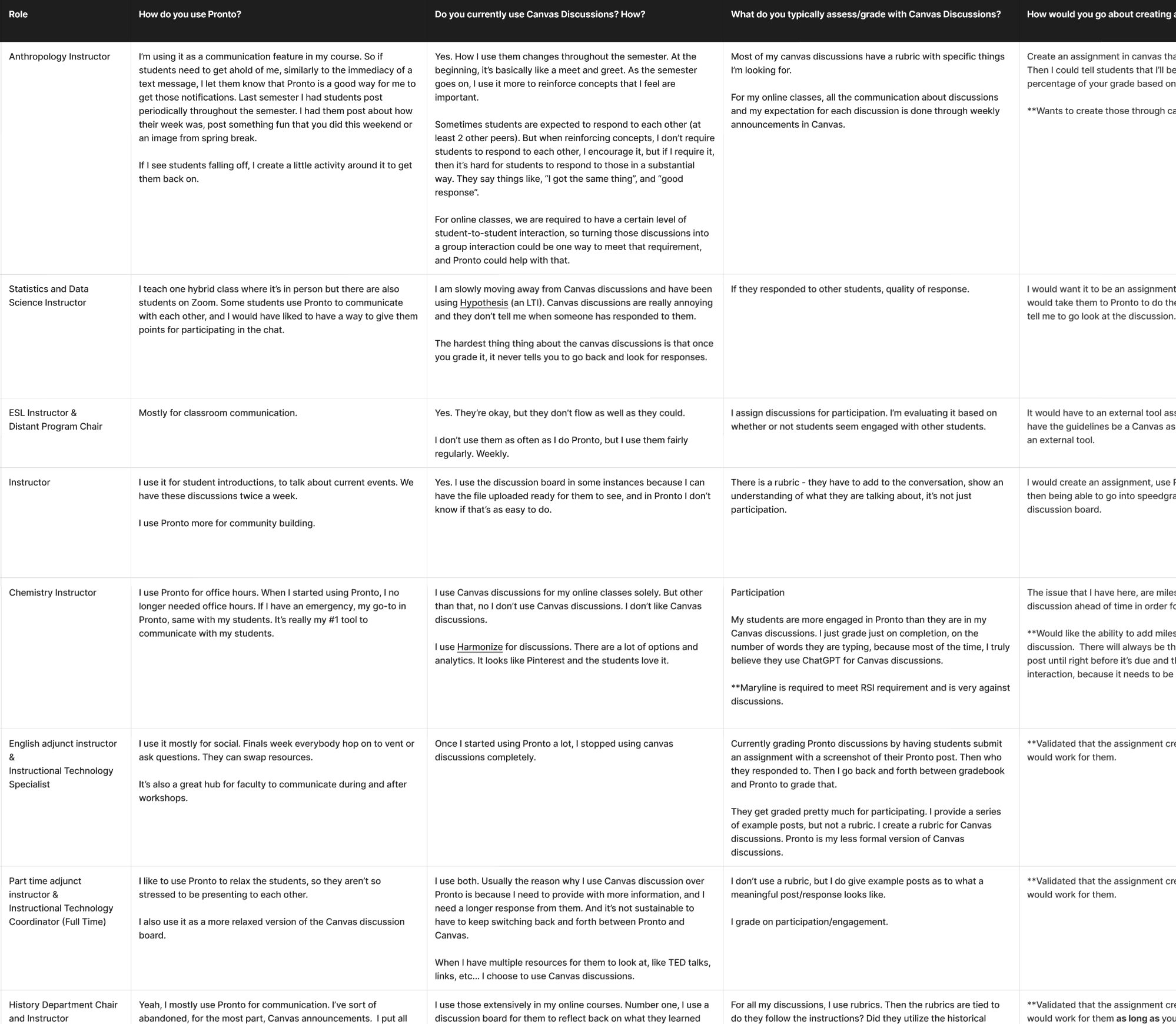
User Flows
-
![]()
Initial Wireframes
-
![]()
Lo-Fi Designs
High-Fidelity Design
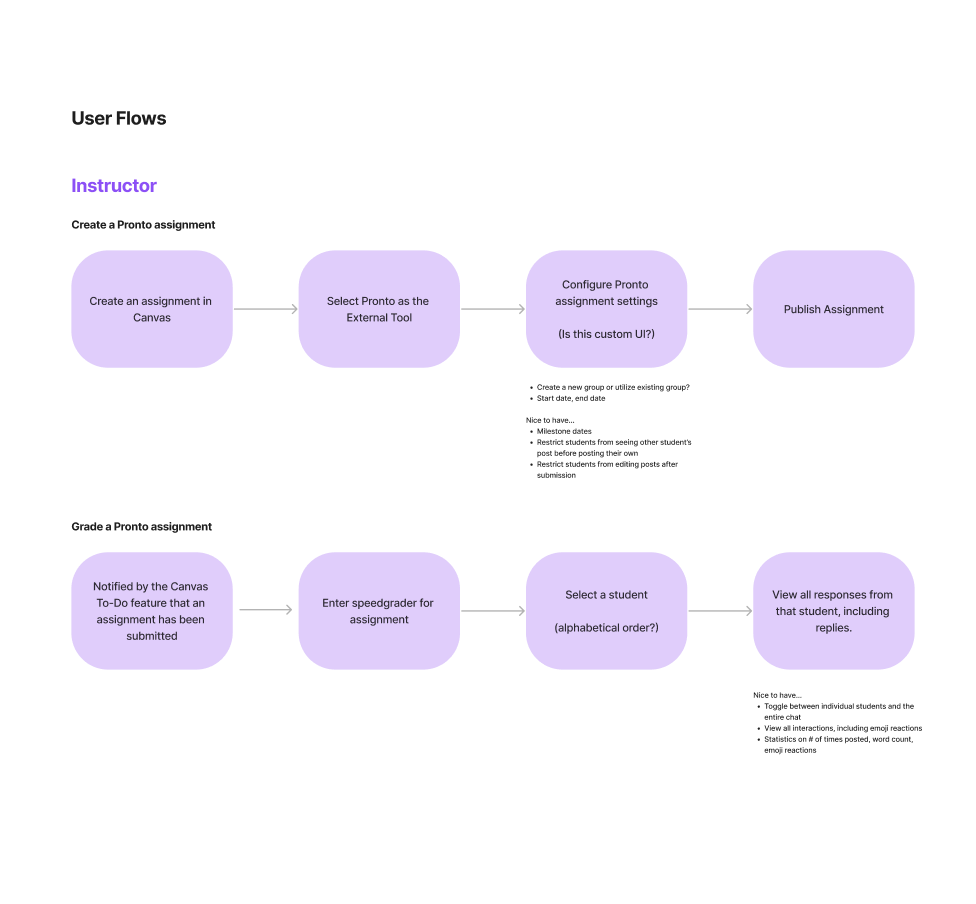
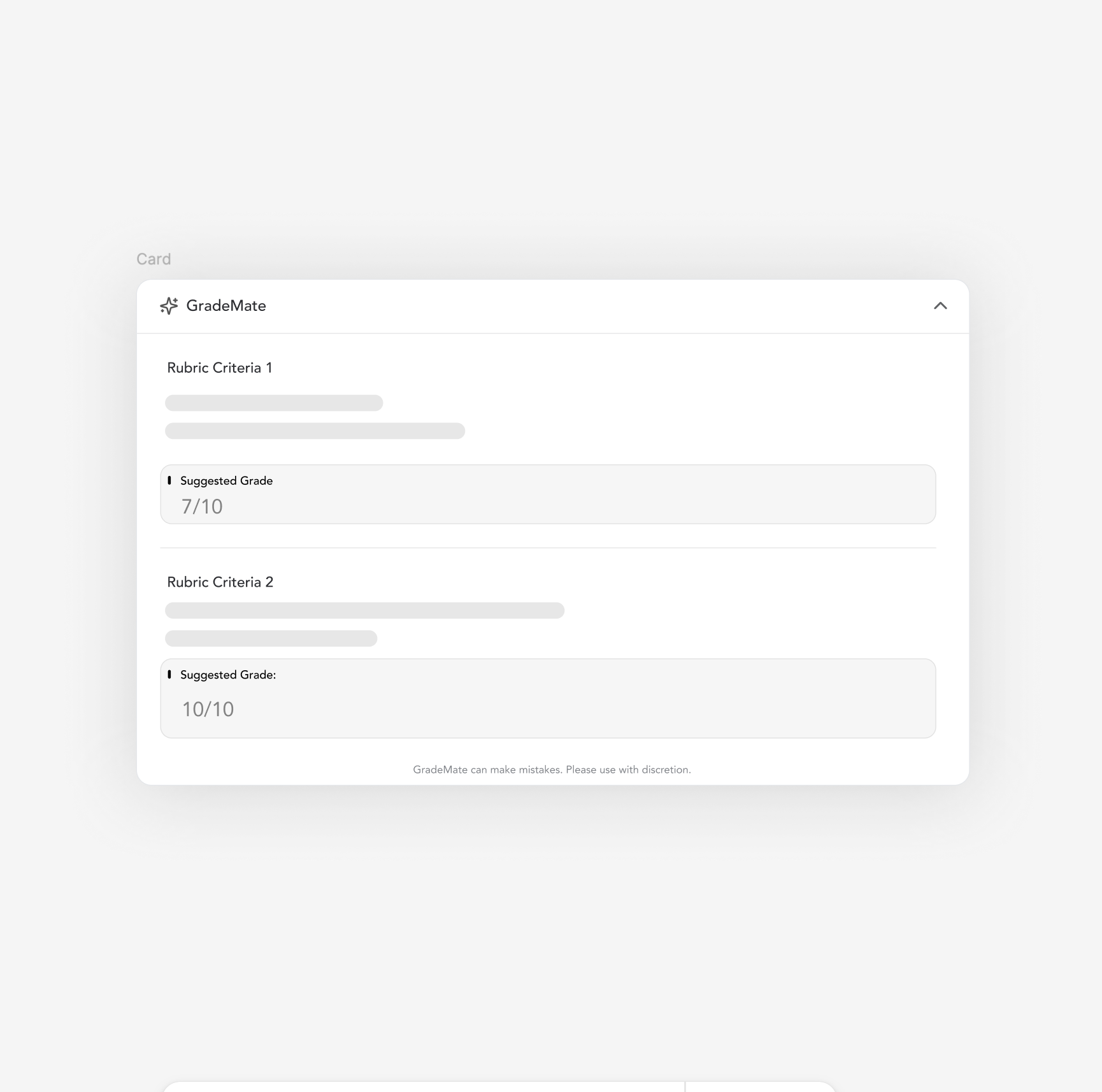
The final design prioritizes trust and clarity. AI can feel like a black box, so the UI needed to explain why a grade was suggested.
-
Gemini said
The design uses bold section headers to structure the content, drawing the eye to easily scan content. The bullet points use a lighter gray text to provide necessary context without competing for primary attention.
-
Before showing the grade, we list the bullet points (e.g., "The student mentioned that they found design... challenging"). This proves to the teacher that the AI actually "read" the text.
-
A soft purple background was used to distinguish the AI suggestion from human input.
The score (10 pts) is bolded for scanability.
The supporting text ("Student's initial post demonstrates evidence...") mimics standard rubric language, making it easy for teachers to accept or modify.